How to use the easyCharging app - a step-by-step guide
In this definitive guide, we'll show you how easyCharging doesn't just make your EV travels easier, but significantly more comfortable and convenient—find, charge, and pay in a single app.
Supported by Sir Stelios, the easyCharging app seamlessly integrates the core principles of the easy philosophy—simplicity, accessibility, and affordability—into its electric vehicle (EV) charging service. With a user-friendly app interface, a vast network of charging stations across Europe, and competitive pricing, easyCharging makes EV charging straightforward and convenient for all.
With features such as real-time charging station location updates, and secure payments, the easyCharging app offers a seamless solution for EV drivers.
Our vast network of literally hundreds of different EV charging suppliers across Europe brings them to a single point, the easyCharging app—your EV travel companion.
easyCharging currently operates in six core markets: the United Kingdom, France, Germany, Spain, Switzerland and Denmark. The app also gives drivers access to participating charging points across Europe, including countries where easyCharging has not yet launched locally.
Creating an Account
To charge your electric car using the easyCharging app, you’ll need to create an account first. Don’t worry, registering is simple and easy. Just provide your first name, last name, mobile number, and email address, and set a secure password on the registration page. During registration, you’ll have the option to order a free RFID tag. Once activated in the app, this tag lets you start and end charging sessions without needing the app or a credit card. To send you the RFID tag, we’ll need your postal address. Due to high demand, it might take a couple of weeks to get it to you.
We also ask you to add a payment method to your account. This allows you to conveniently use the app or RFID tag to start and stop your sessions without needing to search for your payment card each time. Note that some stations can only be activated by our app or the tag alone.
Registration and the optional RFID key tag are free. There is no subscription or monthly fee; you pay only for the charging sessions you use, at the price shown in the app before you start.
Downloading and installing the easyCharging app
Use our download page to get the easyCharging app for iOS from the App Store or for Android from Google Play. Once installed, sign in with your easyCharging account details.
Navigating the app interface
When you first open the app, you’ll see a map that pinpoints your current location (just make sure your location services are turned on) and the charging stations nearby. Clicking on any station in the list will reveal a detailed card with information such as the station’s status, address, opening times, distance, and additional details about the provider, where applicable.
The next option available is “Favourites,” where you can add selected stations to your favourites list for quick access. This feature proves particularly useful for planning longer journeys, allowing you to select stations along your route.
The “Home” option in our app caters to customers who have a compatible home charger installed by an authorised technician.
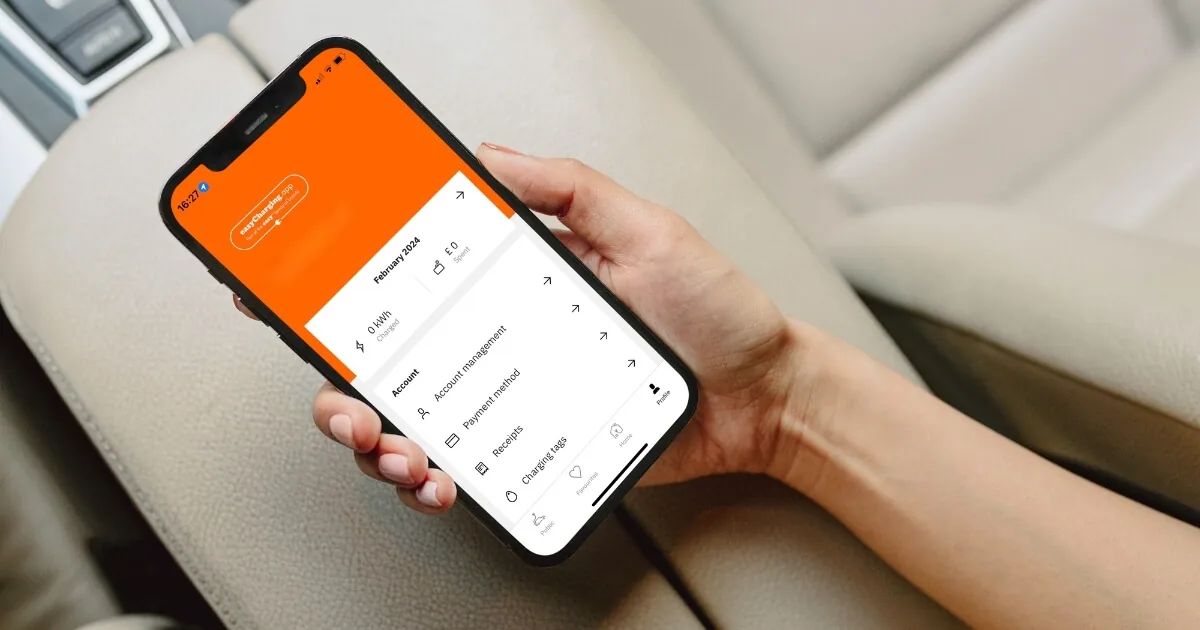
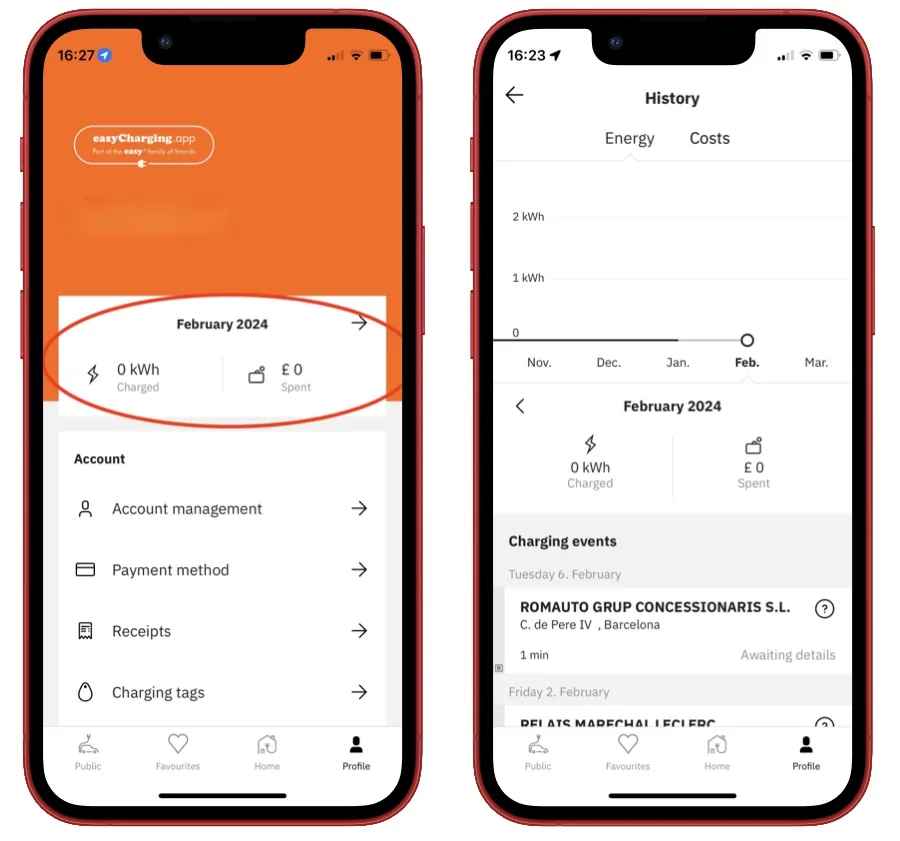
Lastly, the “Profile” option provides a quick summary of all your charges in the current month, along with additional options such as account management, payment methods, receipts, and charging tags associated with your account.
You can access customer support and useful how-to guides from the last menu option.
Finding charging stations
Now, you’re ready to charge! By default, the easyCharging app displays the closest charging points to your current location, along with real-time availability status to inform you if a station is currently in use or available for charging. However, if you’re planning a journey, simply add your destination and click “search.” Let’s use “Berlin” as an example.
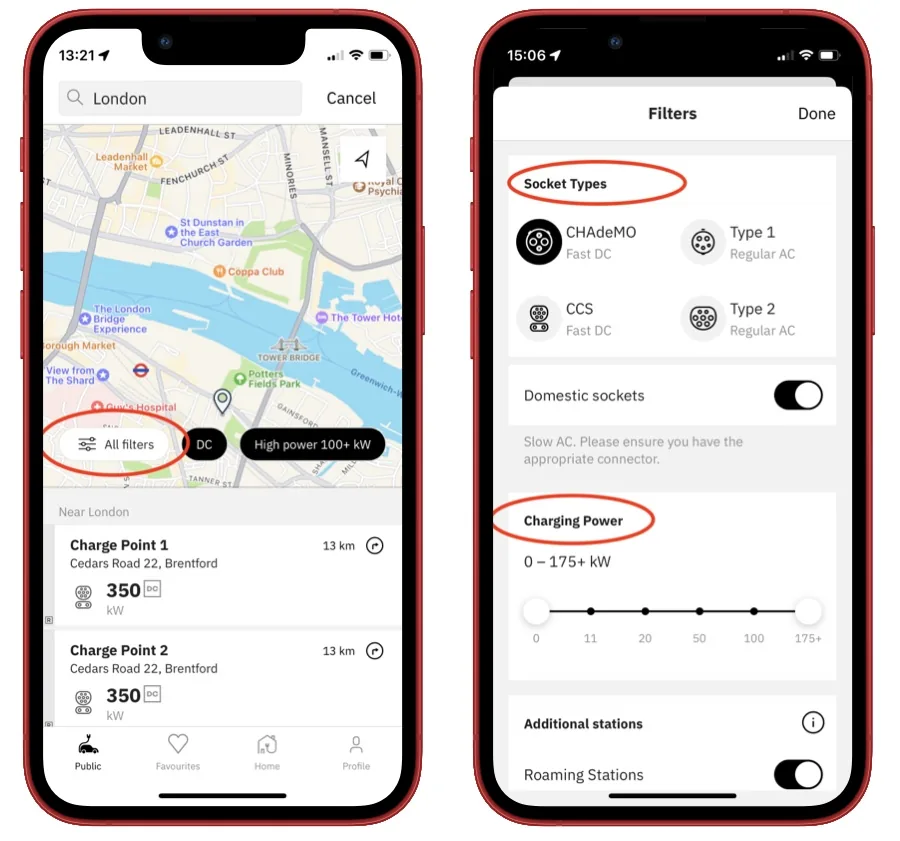
A very useful feature is our filter option, designed to help you find a suitable charging point. For longer journeys, you may prefer fast or ultra-fast DC charging, typically 100 kW or more. For overnight stays or longer stops, slower AC charging is often more suitable and may be cheaper. You can also check each station’s available connectors and price in the app. And don’t forget to add useful stations to your favourites!
Our charging station filter also allows you to choose plug types and charging power requirements.
Checking station availability
You can check the real-time availability of EV stations before you embark on your journey. Grayed-out stations will display a message indicating they are offline, while stations currently in use will be marked accordingly. Otherwise, you’re good to go!
Additionally, the easyCharging app provides information on the current real-time price per kWh for each station. Keep in mind that some stations may also require parking fees. All this information is readily available on the station detail card, ensuring total transparency and clarity for our drivers.
Charging Your Vehicle
Now that you’ve located a charging station and confirmed its availability, it’s time to charge your vehicle.
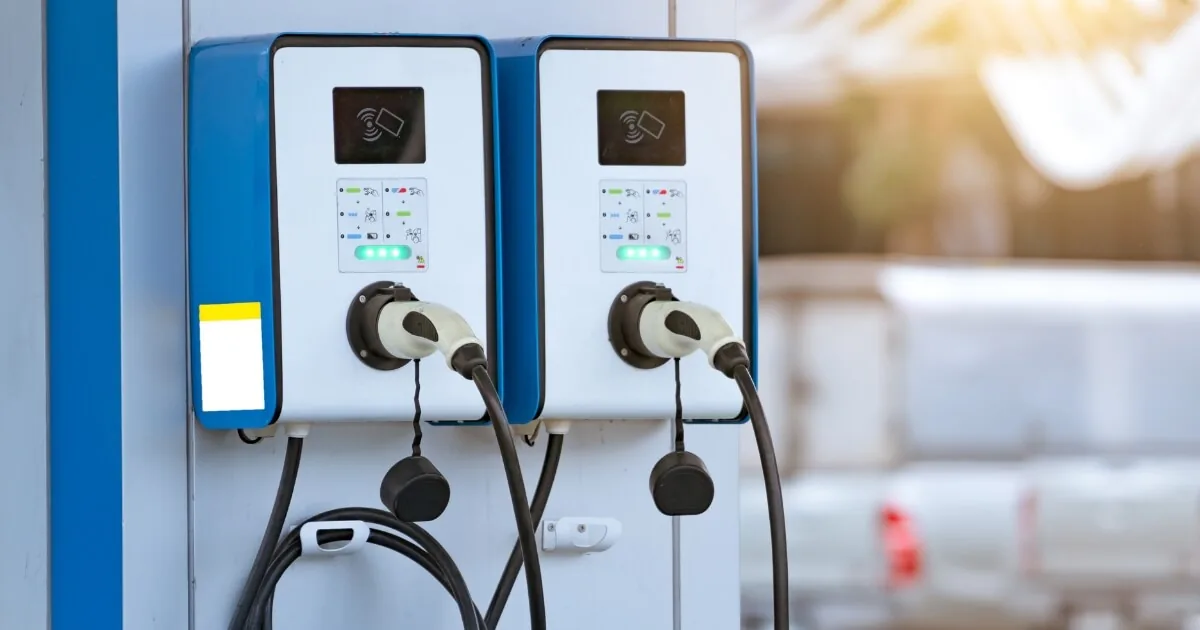
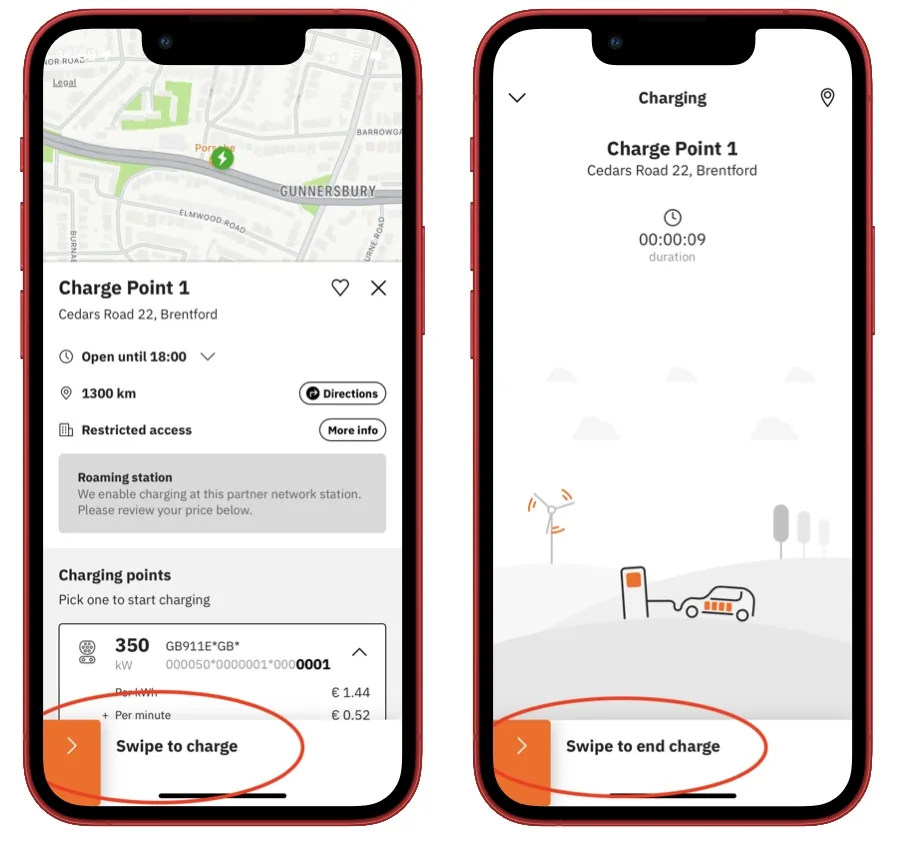
Before you start a charging event, make sure that the charging point you have chosen has the same four-digit ID number as the charging point shown in the app.
Upon arriving at the charging station, park your vehicle in the designated spot and ensure it is properly aligned with the charging equipment. Then, open the easyCharging app and navigate to the station’s details. Here, you’ll find an option to initiate a charging session. Simply follow the prompts on the app to start the charging process.
Once the charging session is initiated, you can monitor the progress of the charging process in real-time through the easyCharging app, with the option to stop at any time.
Billing and payment
The main benefit of our app is the option to charge your car without a wallet. When you register your card with the easyCharging app, you can charge conveniently without a payment card in hand—especially when some stations don’t even have this option. The easyCharging app also offers security and peace of mind that you will not be a victim of fraud after scanning a false QR code sticker on the charging station, and paying someone other than the charging provider.
At the end of each charging session, the final amount is charged automatically to your saved payment card. Your receipt appears under Profile → Receipts. There is no monthly billing.
Managing your account
Stay in control of your electric vehicle charging expenses by easily managing your account through the easyCharging app. Head to your Profile section to track your monthly charging activity, including the total kWh charged and corresponding expenses.
Conveniently access receipts for all transactions under the “Receipts” tab within your Profile. Filter receipts by specific dates for added convenience, ensuring you have a clear record of your charging history at your fingertips.
RFID tags
You can order your easyCharging RFID tags either during the registration process or optionally inside the mobile app. These RFID tags offer a hassle-free way to charge your electric vehicle, eliminating the need for a wallet, payment card, or even the app. With RFID tags, starting and ending charging sessions is as easy as a tap.
Customer support
If something is not right or a charging session does not work, visit our contact page for the current support phone numbers and opening hours.
Conclusion
The easyCharging app stands as the ultimate companion for electric vehicle owners, offering compatibility with a wide range of EVs and access to a network of over 900,000 charging points across Europe. With the convenience of a single app, drivers can effortlessly locate and charge their EVs, revolutionising the way we approach sustainable transportation.